What is a Power Strip and How to Choose the Best One?
In today's tech-driven world, the Power Strip is an essential tool for managing multiple devices. According to John Smith, a leading expert in electrical safety, "A power strip can be both a convenience and a hazard if not chosen wisely." This dual nature highlights the need for careful selection when purchasing a power strip.
Understanding what makes a power strip suitable for your needs is crucial. Consider factors like surge protection, outlet spacing, and cord length. The right power strip can enhance your efficiency and safeguard your electronics. However, many users overlook the ratings and specific features that differentiate quality power strips from subpar options.
Inadequate knowledge can lead to risks. A poorly designed power strip can result in fire hazards or equipment damage. As technology advances, new features emerge in power strips, demanding a more informed choice. The right power strip not only meets your immediate needs but also ensures safety and reliability in your electrical setup.
Understanding the Basics of Power Strips: Definition and Functionality
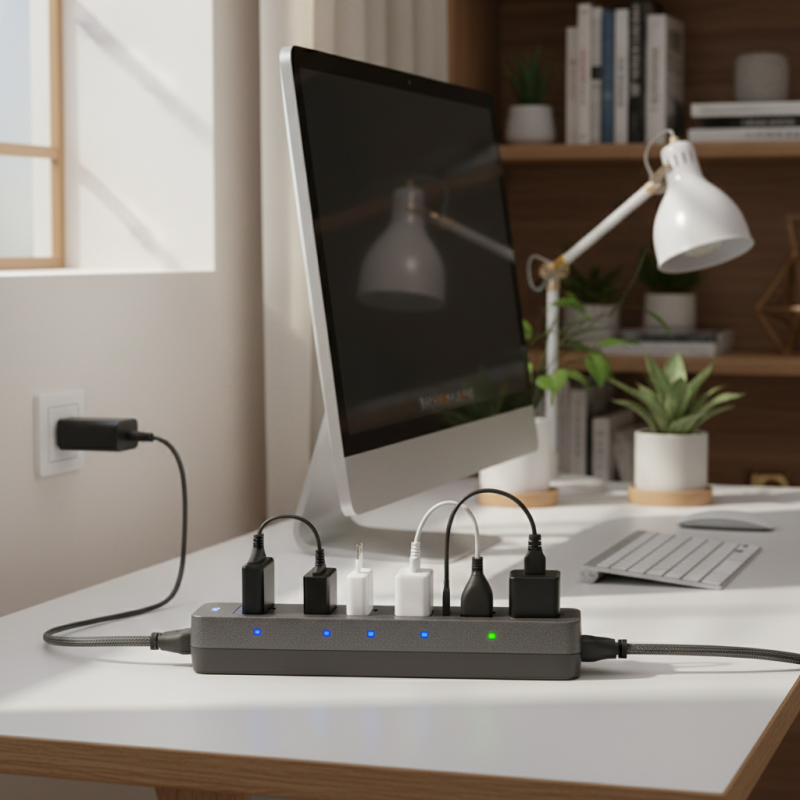
Power strips are essential tools for managing multiple electronic devices from a single outlet. Understanding their functionality helps users select the right one for their needs. A power strip typically features several sockets, allowing multiple devices to draw electricity simultaneously. This design is especially beneficial in spaces with limited outlets, like home offices or entertainment centers.
When selecting a power strip, consider its surge protection feature. Not all power strips offer this protection, which can safeguard your devices from voltage spikes. A good power strip will also have features like a reset button and indicator lights. Look for those with anti-surge ratings to ensure maximum safety.
**Tips:** Always check the wattage limits. Plugging devices beyond this limit can lead to overheating. Keep your power strip positioned away from direct sunlight and water. Regularly inspect it for any signs of wear or damage, which could compromise safety.
Power Strip Usage Statistics
Types of Power Strips: Exploring Different Designs and Features
When exploring power strips, it's essential to understand the various designs and features available. Some power strips come with surge protection, safeguarding devices against voltage spikes. This feature is vital, especially in areas prone to electrical surges. Others include USB ports for charging devices, providing a neat solution without requiring additional adapters.
Not all power strips are created equal. Some offer rotating outlets for flexibility in tight spaces. This design can prevent bulky plugs from blocking adjacent sockets. Additionally, power strips may vary in the number of outlets. A compact design with fewer outlets can be adequate for small setups. But if you have multiple devices, a larger strip is necessary.
Cord length and gauge also matter. A longer cord allows for more placement options, while the gauge affects the maximum load. It's important to match the power requirements of your devices with the strip's capacity. While there are many options out there, selecting the right one may require some trial and error. Identifying your specific needs will lead to a more satisfactory choice in the long run.
Important Safety Features to Consider in Power Strips
When choosing a power strip, safety features should be a top priority. Look for a unit that includes surge protection. This feature can guard your devices from unexpected voltage spikes. Without it, an electrical surge might damage your electronics. Understanding the maximum joules rating is crucial. A power strip with a higher rating offers better protection.
Next, consider the presence of circuit breakers. These can automatically shut off power during overloads. If a power strip lacks this feature, it might pose a significant risk. Additional safety features include childproof outlets and LED indicators for status. Both of these enhance safety, especially in households with young children.
Keep in mind that not all power strips are equal. Evaluate your devices’ power requirements before purchasing. Some power strips may be overpowered, which can lead to overheating. Always check the wattage capacity. This small detail can prevent potential hazards. Lastly, reflect on where you plan to use the power strip. It should reside in a dry, cool area.
How to Determine the Right Power Strip Based on Your Needs
Choosing the right power strip is essential for safeguarding your devices. Start by assessing your power needs. Consider the total wattage of devices you plan to plug in. Most power strips have a maximum load capacity. Overloading a strip can create a fire hazard. Be mindful of the wattage ratings of your equipment.
Next, think about the features you need. Some power strips offer surge protection, preventing damage from voltage spikes. Others come with built-in USB ports, providing convenient charging options. Look for indicators that show when the surge protection is active. This simple feature can offer peace of mind and enhance reliability.
Finally, take note of the design. The length of the cord is important. A longer cord can help you reach distant outlets. Some strips are designed for mounting, which could save space. However, consider visibility. Cluttered cables can create hazards. Reflect on your specific setup and space constraints as you decide.
What is a Power Strip and How to Choose the Best One? - How to Determine the Right Power Strip Based on Your Needs
| Feature | Description |
| Number of Outlets | Varies from 2 to 12 outlets, depending on your needs. |
| Surge Protection | Provides a safeguard against voltage spikes. |
| USB Ports | Some models include USB ports for charging devices. |
| Cord Length | Available in various lengths; longer cords allow more flexible placement. |
| Mounting Options | Some power strips can be mounted on walls for convenience. |
| Power Rating | Typically measured in watts; helps determine if the strip can handle your devices. |
| Indicators | LED indicators for power status or surge protection status. |
Tips for Proper Usage and Maintenance of Power Strips
Power strips are essential for managing multiple electronic devices. However, their usage requires some attention to safety and maintenance. When using a power strip, always check its rating. This ensures it can handle the total wattage of all plugged devices. Overloading a power strip can lead to overheating or even fires. It’s crucial to read the specifications carefully before connecting any equipment.
Regularly inspect your power strip for damage. Look for frayed wires or burn marks. Even small wear and tear can pose a risk. If you notice any issues, replace the power strip immediately. Cleaning is also important. Dust accumulation can cause overheating. Simply wipe down the strip with a cloth periodically.
Additionally, avoid daisy-chaining multiple power strips. This practice increases the risk of overload. Also, don’t cover power strips with rugs or furniture, as this traps heat. Keep them in open areas for proper ventilation. Power strips are useful but require respect and care to ensure safety. Engaging with power strips thoughtlessly can lead to serious consequences. Careful handling goes a long way in maintaining device longevity and personal safety.